Start with a photo
Identify a collectible, review suggested matches, and add it to your inventory or a deal.

FOR THE LOVE OF VENDING
The point-of-sale app for collectible vendors. Organize inventory, sell and trade at the table, and see how your shows add up.
Start free with up to 65 inventory listings. Available on iOS.
Trading cards · Sports cards · Comics · Toys & more
01 / CALCULATOR
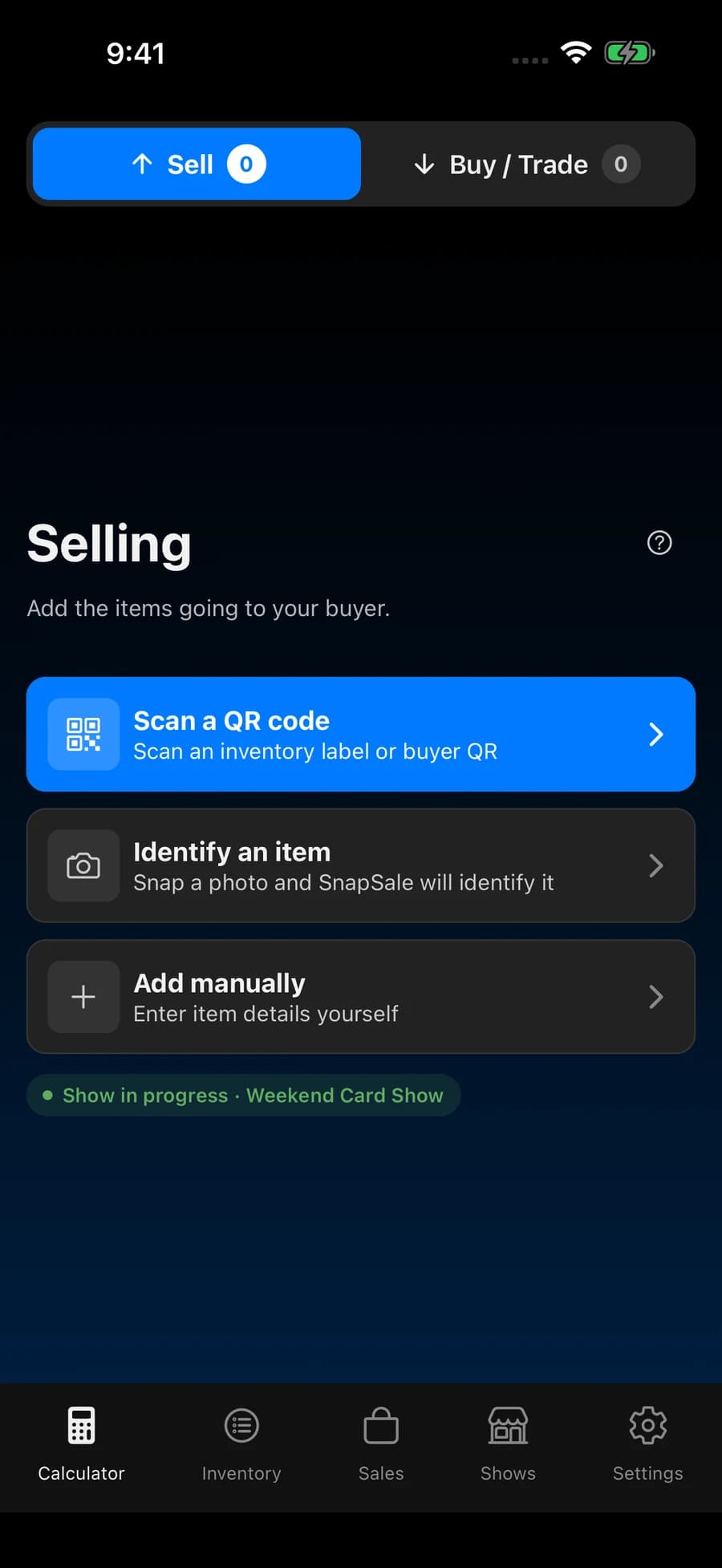
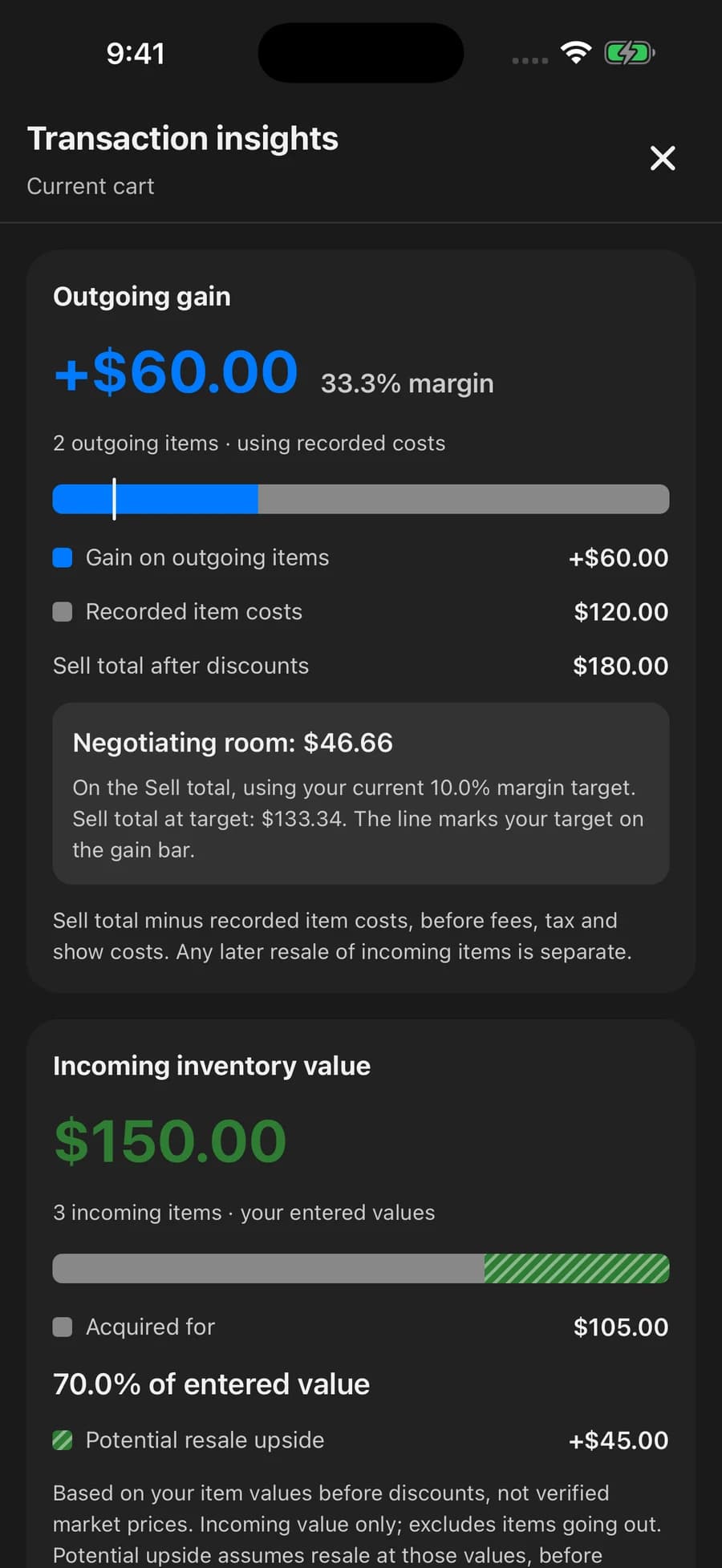
A sale, a buy, a little of both. Build the deal in two clear carts and let SnapSale work out who pays whom.
Your payment QR, right at checkout. Add your payment link once. Show the QR code in SnapSale and let your buyer scan it with their phone to pay through your payment service.
Potential upside uses saved item prices. It isn’t earned profit or a guaranteed resale value.
Organized inventory. Ready to go.
02 / INVENTORY
From the bargain box to the prized slab, give every find a place. Keep the details close and your table moving.
From label to cart. Scan an inventory label to pull up the right item without typing it all again.
03 / SALES
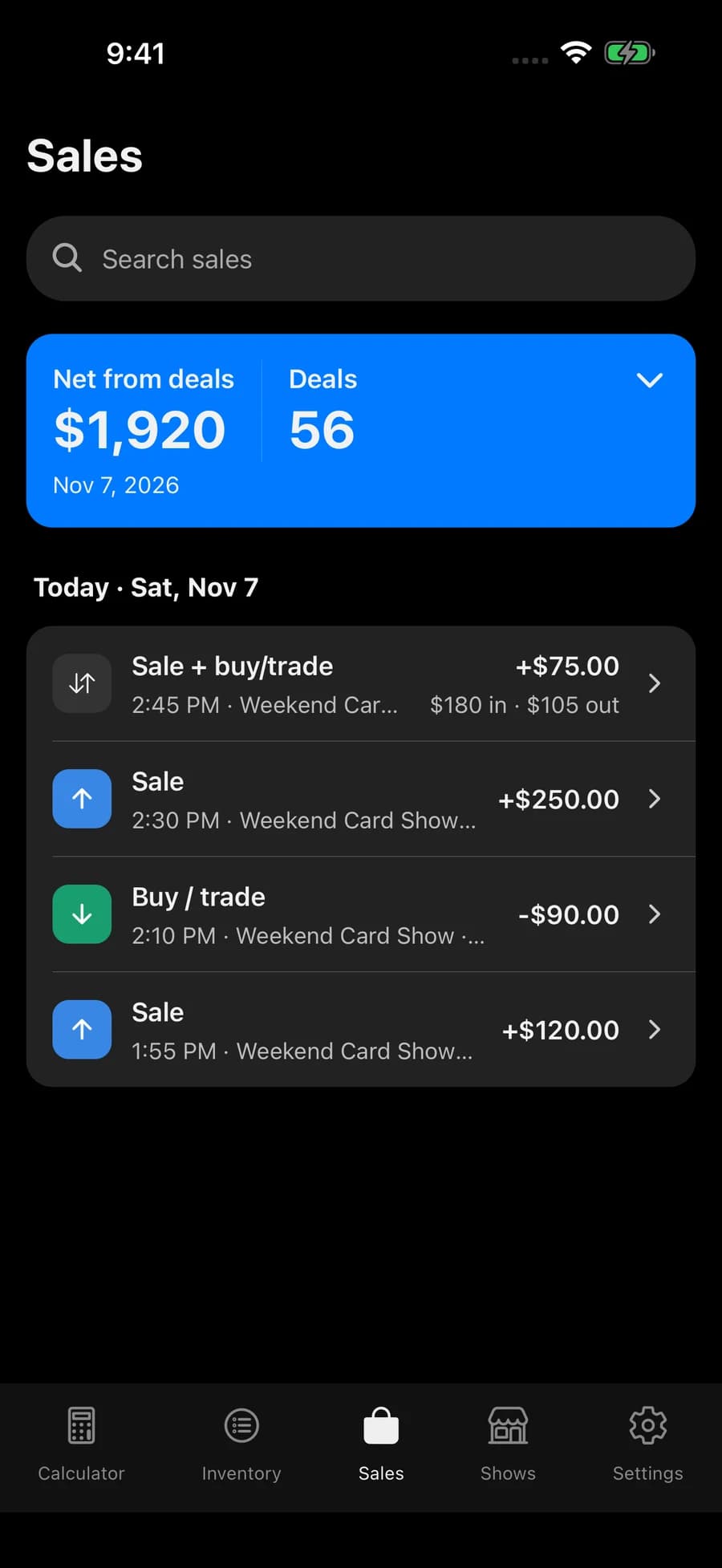
The table gets busy. Your history keeps up. Revisit sales, buys, and trades, then zoom out to see how your business is moving.
04 / SHOWS
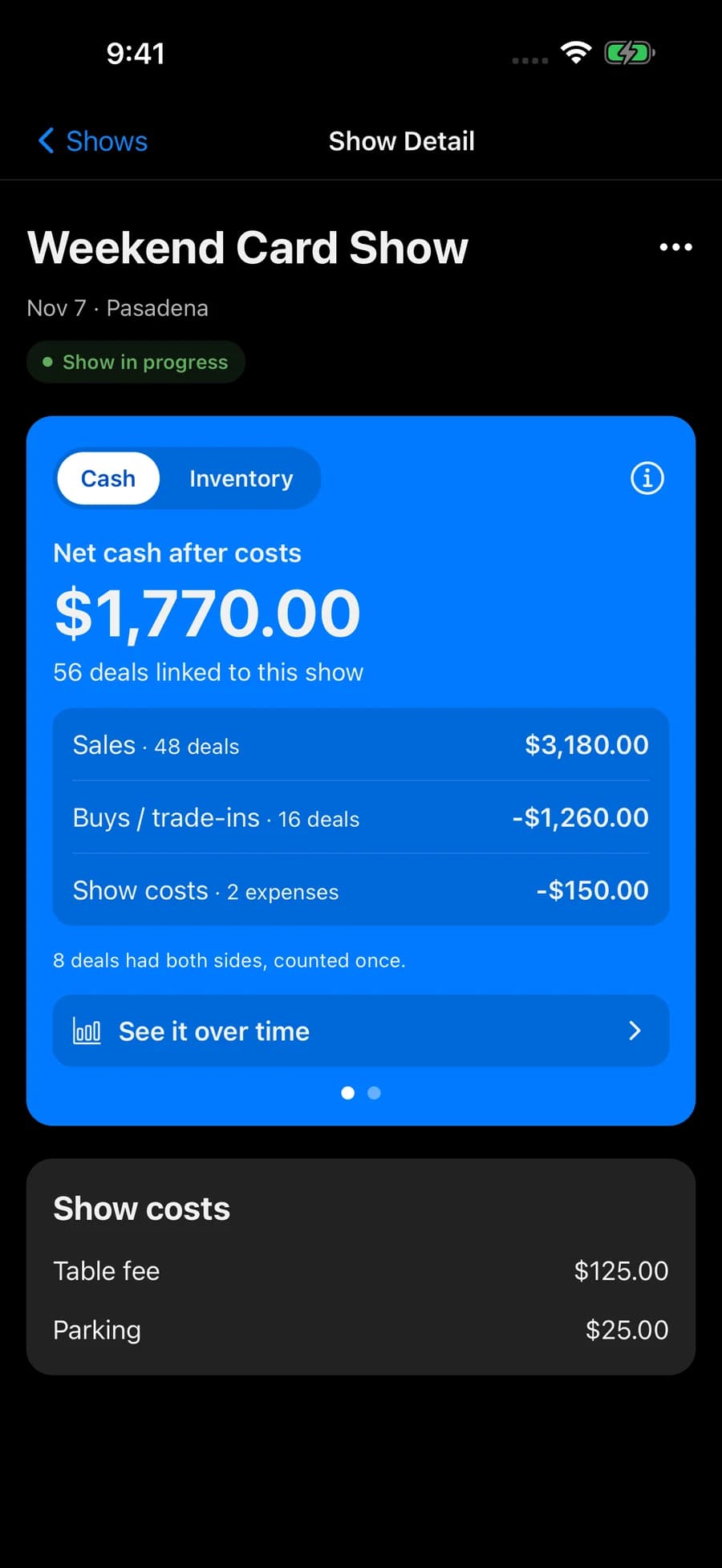
Start a show, keep selling, and see what the weekend brought in. Your deals, inventory, and show costs tell the story together.
Selling with someone? Work from devices on the same account. Show totals update as your deals sync.
THE SMALL THINGS THAT SAVE YOU TIME
Identify a collectible, review suggested matches, and add it to your inventory or a deal.
Check supported market prices and open research links before you set your asking price.
Print QR labels with supported NIIMBOT printers or export labels. Include price and condition or grade when you need them.
Track quantities, costs, asking prices, condition, and grades. Find the right item with search, tags, and filters.
Save your payment link and show its QR code at checkout. Your buyer scans with their phone to pay through your payment service. Record the payment and send a receipt from SnapSale.
Save deals on your device and sync when a connection is available. Identification and fresh market prices need internet.
START SMALL. ROOM TO GROW.
Get started free. Choose Premium when you need more inventory space and a longer view of your business.
Get your next show organized.

More room for the business you’re building.
Upgrade inside the app whenever you’re ready.
USD pricing. Local App Store pricing may vary.
SnapSale is built for collectible vendors: trading cards, sports cards, comics, toys, games, and more. Add any item manually. Photo identification and market-price coverage vary by item and category.
Yes. Keep outgoing items in the Sell cart and incoming items in Buy / Trade. Combine them in one deal, apply discounts, and see whether the customer pays you or you pay them.
Not yet. SnapSale calculates and records your deals and payment methods. You collect payment using cash or your existing payment service. Save a payment link to display its QR code in SnapSale at checkout for your buyer to scan.
Yes. Devices signed into the same vending account can work with the active show. Deals recorded with show support update the show totals as they sync. Keep both devices on the current app version.
No. Cash flow tracks money in and out. Inventory measures use saved item values, while profit on outgoing items depends on recorded costs. SnapSale keeps these views separate so you can understand what each number means.
READY WHEN YOU ARE
Your inventory, your deals, and your shows. Together.
Download free on the App Store.